Download I'm Alive
Set up in 2 minutes. Free forever, no account needed.
Scan to Download
Point your phone camera at the code
QR Code
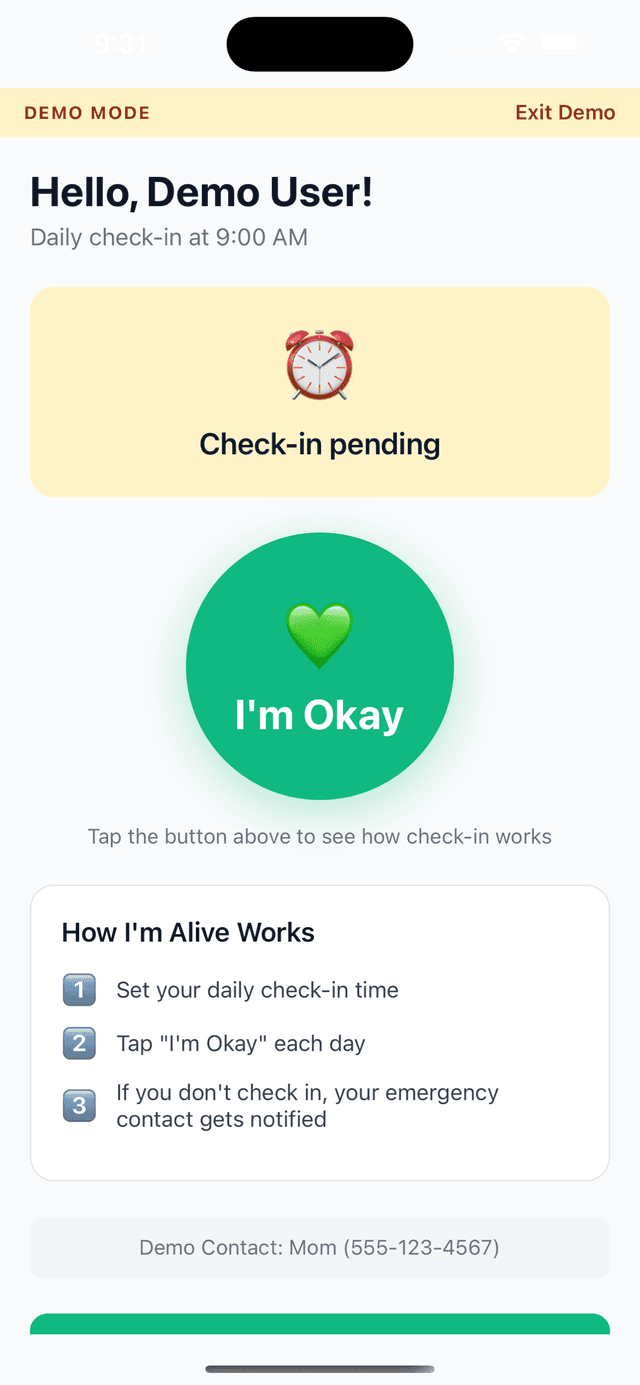
One-Tap Check-in
Simple, large button
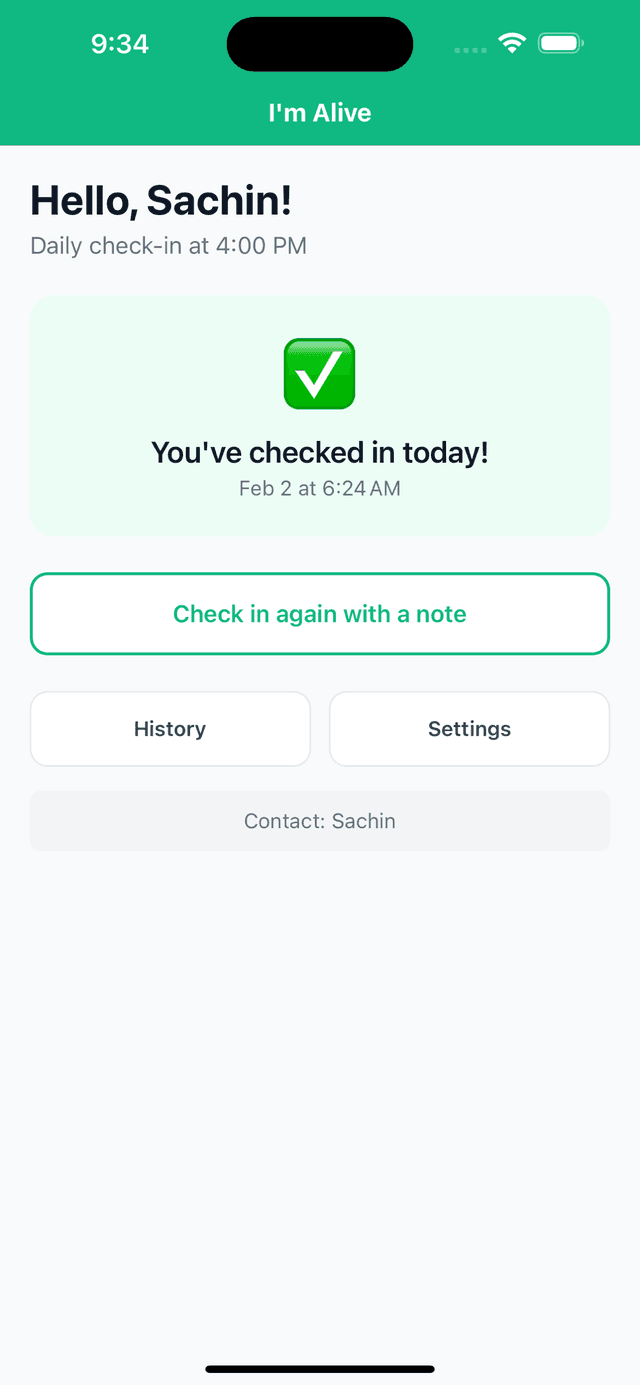
Instant Confirmation
Know you're covered
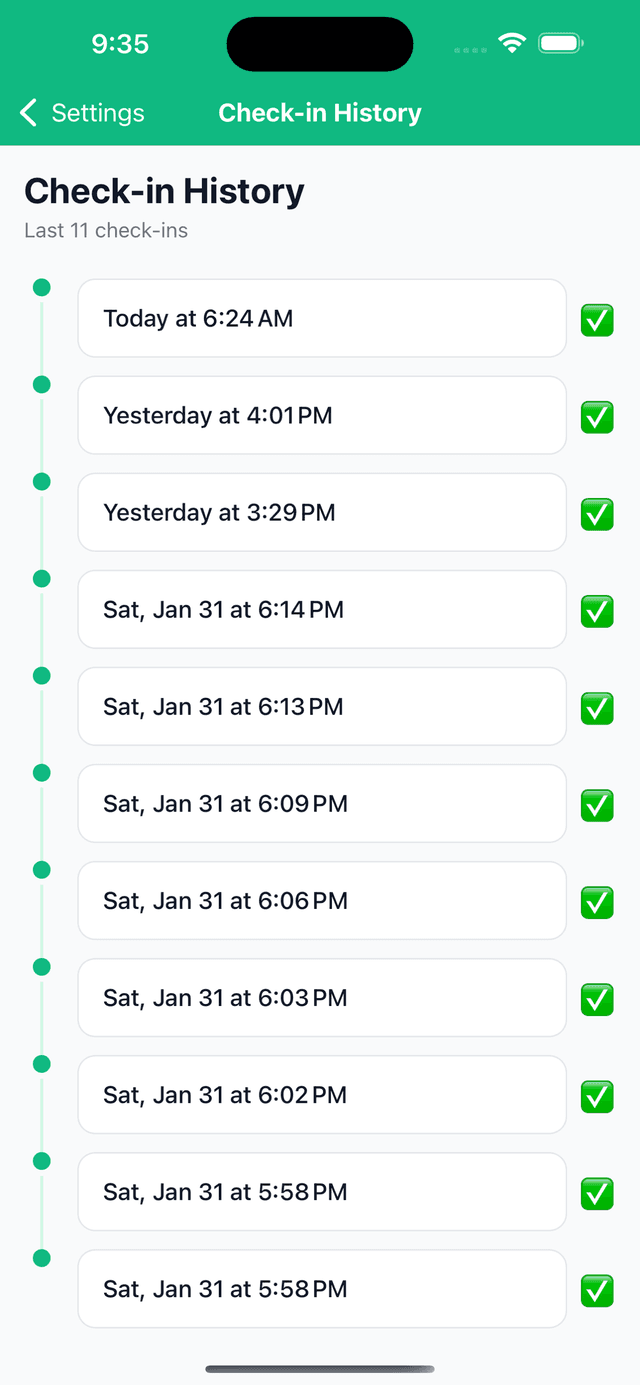
Check-in History
Track your wellness
Real families. Real peace of mind.
Sarah's parents in Mumbai check in every morning
Sarah lives in New York. Her parents tap “I'm OK” each morning. She starts her day knowing they're safe.
Mike checks in after his solo hikes
Mike hikes alone every weekend. One tap after each trail. If he doesn't check in, his wife gets an alert.
The Chen family tracks their grandmother's daily routine
Grandma Chen lives independently at 82. Her three grandchildren share the check-in alerts. Everyone stays in the loop.
Takes 2 minutes to set up
Download the app (30 sec)
Add your emergency contact (30 sec)
Set your check-in time (30 sec)
You're protected (done)
Stay Safe on Every Hike
8 things smart hikers do before hiking alone.

Frequently Asked Questions
Is it really free?
Yes. The core check-in feature is free forever. You can add one emergency contact, set a daily check-in time, and receive email alerts -- all at no cost. Optional paid plans add SMS alerts, multiple contacts, and a family dashboard.
Does it track me?
No. I'm Alive does not track your location, read your messages, or monitor your activity. We only know one thing: whether you tapped the check-in button today. That's it.
What if I miss a check-in?
You'll get a gentle reminder first. Then a second reminder 30 minutes later. If you still haven't checked in after 2 hours, your emergency contact is notified by email. With the Family plan, they also get an SMS alert.
Do I need an account?
No account is required. Download the app, add your contact, pick a check-in time, and you're set. It takes about 2 minutes.
Does my contact need the app too?
No. Your emergency contact receives alerts via email (or SMS on the Family plan). They don't need to install anything.
Requirements
iOS
- iPhone with iOS 14.0 or later
- Internet connection
- ~50 MB storage
Android
- Android 8.0 or later
- Internet connection
- ~30 MB storage